

Can your existing DSC alarm move to cellular monitoring, and how can you confirm that signals reach the monitoring provider? If you’re searching for “How to Upgrade a DSC Alarm to Cell Monitoring in Atlanta,” start with the exact panel model and firmware rather than guessing which communicator will fit. Compatibility varies, and the connection needs to be checked after installation.
A clear changeover plan helps you understand what will happen to your alarm and monitoring service. This guide explains what to gather about your DSC system, how a professional assessment and installation fit into the process, and what to verify before the upgrade is complete. AlphaLVC serves residential and commercial customers across Metro Atlanta with security system installation and 24/7 professional monitoring. Reviewing the alarm hardware and monitoring arrangement together can help clarify the next step for your system.
Key Takeaways
- For “How to Upgrade a DSC Alarm to Cell Monitoring in Atlanta,” begin by identifying your panel model and documenting your current monitoring arrangement.
- Cellular upgrade options depend on panel compatibility, communicator requirements, and how monitoring is arranged.
- Before installation, ask a Metro Atlanta professional about the proposed signal path, service continuity, installation scope, and final testing.
- After the changeover, request confirmation that alarm signals are communicating and monitoring is active, and clarify whom to contact for support.
What a DSC alarm cellular monitoring upgrade changes in Metro Atlanta
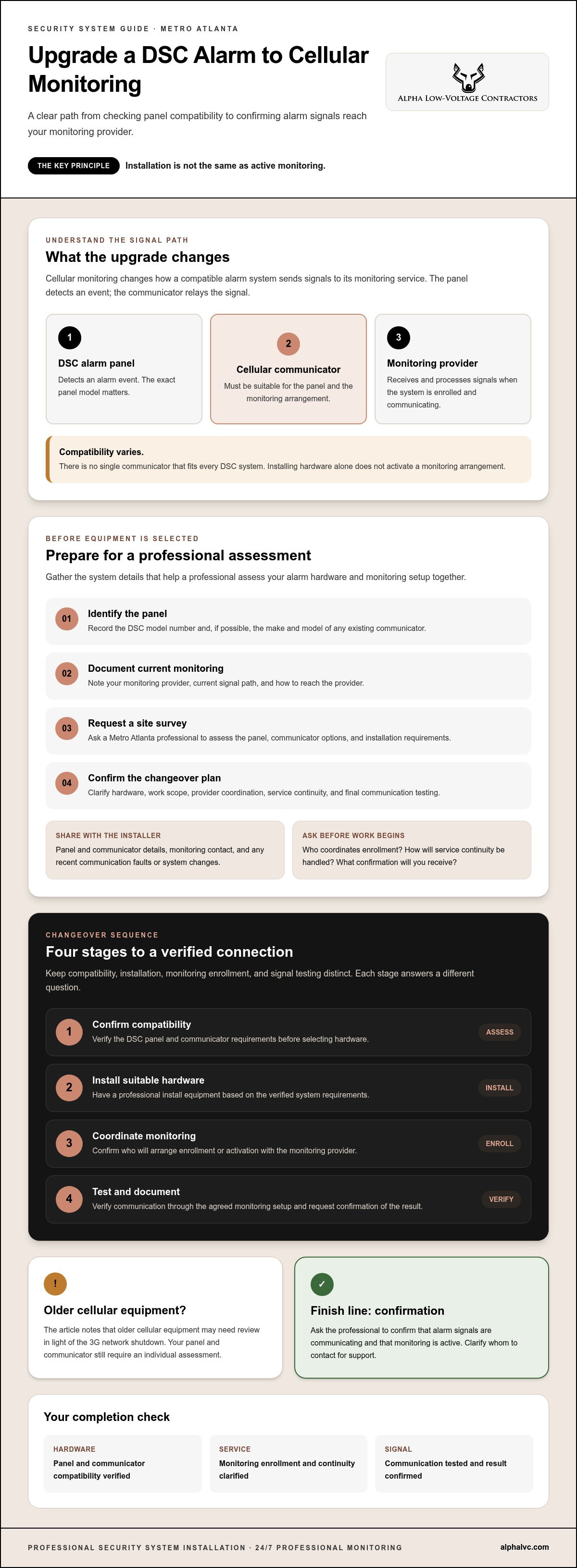
Cellular monitoring uses a cellular network to send signals from a compatible alarm system to its monitoring service. The alarm panel detects an event, and the communicator relays the signal to an alarm monitoring center, where it can be received and processed. An upgrade changes the signal path, but it does not automatically create an active monitoring arrangement.
Your options depend on the DSC panel model, compatible communicator hardware, and the details of your monitoring service. There is no single communicator that fits every DSC system. Before choosing equipment or scheduling work, have the panel and monitoring setup assessed together by a professional familiar with your system.
Does your existing DSC panel support a cellular communicator?
Begin by locating the model number on the alarm panel. If possible, record the make and model of any existing communicator, along with your current monitoring provider and signal path. These details help a professional assess the system, but they do not confirm compatibility on their own. Ask the professional to verify the panel and communicator requirements before recommending equipment or installation work.
Keep the stages clear: installing a communicator adds hardware, enrollment connects the system with a monitoring service, and testing checks that signals are communicating. Ask who will coordinate enrollment and how you will receive confirmation, especially if you plan to keep your current monitoring arrangement. For homes and businesses in Metro Atlanta, checking these steps before work begins helps clarify what the upgrade involves.
How to prepare for a DSC cellular monitoring upgrade
Preparation helps the installer assess the alarm hardware and monitoring arrangement as one system. If you’re researching “How to Upgrade a DSC Alarm to Cell Monitoring in Atlanta,” use this sequence before selecting equipment or scheduling work:
- Identify the panel. Record the DSC model number and any existing communicator details.
- Document current monitoring. Note your provider, current signal path, and how to contact the monitoring provider.
- Request a site survey. Ask a professional to assess the panel, communicator options, and installation requirements.
- Confirm the plan. Clarify the proposed hardware, work scope, monitoring coordination, and final communication test.
Ask how service continuity will be handled during the changeover, which steps require coordination with your monitoring provider, and how successful signal transmission will be confirmed. The suitable communicator, supported network, and model specific installation requirements need to be verified for your system. The FCC’s information on the phase out of 3G cellular networks explains why older cellular equipment may need review. Your panel and communicator still require an individual assessment.
What to share with the installer before the site survey
Have the panel model, communicator information, and current monitoring contact ready. Note any recent communication faults or changes to the alarm system. Ask how the installer will coordinate with the monitoring provider, what testing will be performed, and what confirmation you will receive before the work is closed. Sharing these details can surface questions early and help make the proposed scope clear.
For more detail on planning professional work, read the professional security system installation guide. Once you’ve gathered your system details, you can contact AlphaLVC to discuss a professional assessment in Metro Atlanta.
Complete the upgrade and verify monitoring with a Metro Atlanta professional
Installing a communicator does not, by itself, confirm that your alarm is enrolled with a monitoring service. A professional changeover should connect compatible hardware with the agreed monitoring arrangement, then verify that signals are communicating. Older cellular equipment may also need review in light of the 3G network shutdown. For “How to Upgrade a DSC Alarm to Cell Monitoring in Atlanta,” treat confirmation of active monitoring as the finish line, not simply the completion of installation.
- Confirm compatibility. Check the panel and communicator details before selecting hardware.
- Install suitable hardware. Have a professional complete the installation based on the verified system requirements.
- Coordinate monitoring. Confirm who will arrange enrollment or activation with the monitoring provider.
- Test and document. Verify communication through the agreed monitoring setup and request confirmation of the result.
What to confirm after installation
Ask the professional to confirm that the panel and communicator report successfully through your monitoring arrangement and that professional monitoring is active. Request a plain language explanation of the system’s status indicators, what to check if communication fails, and whom to contact for support. Testing depends on the equipment and monitoring setup, so ask the installer to explain the applicable process rather than relying on assumed steps or response times.
For ongoing care, review AlphaLVC’s security system maintenance service. AlphaLVC provides security system installation and 24/7 professional monitoring in Metro Atlanta. Confirm DSC compatibility and service arrangements for your system. Learn more about AlphaLVC’s security services.
Move Forward With a Verified Monitoring Plan
A considered DSC cellular upgrade starts by confirming panel and communicator compatibility, then coordinating installation with the monitoring arrangement. Installing the communicator is only one part of the changeover. Before considering the upgrade complete, ask for confirmation that signals are communicating and professional monitoring is active.
If you’re considering How to Upgrade a DSC Alarm to Cell Monitoring in Atlanta, gather your panel and current monitoring details for a professional assessment. AlphaLVC serves residential and commercial customers across Metro Atlanta with security system installation, maintenance, and 24/7 professional monitoring. Confirm whether your specific DSC system and monitoring needs can be accommodated.
Discuss a DSC alarm upgrade with AlphaLVC to take the next step toward a monitoring setup you can verify.
Frequently Asked Questions
Can I upgrade an existing DSC alarm to cellular monitoring?
Often, but the upgrade depends on your DSC panel model, its requirements, compatible communicator hardware, and monitoring arrangements. If you’re researching “How to Upgrade a DSC Alarm to Cell Monitoring in Atlanta,” start by locating the panel model and any existing communicator details. A professional should verify compatibility before recommending equipment or work for your Metro Atlanta home or business.
How does cellular monitoring work with a DSC alarm?
A compatible cellular communicator sends signals from your alarm panel over a cellular network to the monitoring service. The communicator provides the communication path, while the monitoring arrangement determines where those signals are received. Installing hardware alone does not confirm monitoring is active. Ask the professional and monitoring provider to confirm enrollment and successful communication through the agreed setup.
What information should I have before requesting a DSC alarm upgrade?
Gather the DSC panel model, details from any existing communicator, and the name and contact information for your current monitoring provider. Also note communication faults or changes to the alarm system. Sharing these details helps a professional assess your system and plan a site survey. Ask how the installation will be coordinated and how monitoring status will be confirmed.
Will cellular monitoring provide 24/7 professional monitoring?
Cellular communication and 24/7 professional monitoring are related but separate. Cellular describes how alarm signals travel; professional monitoring depends on an active service arrangement and confirmed enrollment. AlphaLVC offers 24/7 professional monitoring in Metro Atlanta. If you’re upgrading an existing DSC system, confirm panel compatibility and whether monitoring can be arranged and activated for your specific setup.


