
Key Fobs, Keypad Codes, or Phone Credentials? Choosing Door Access for Your Business

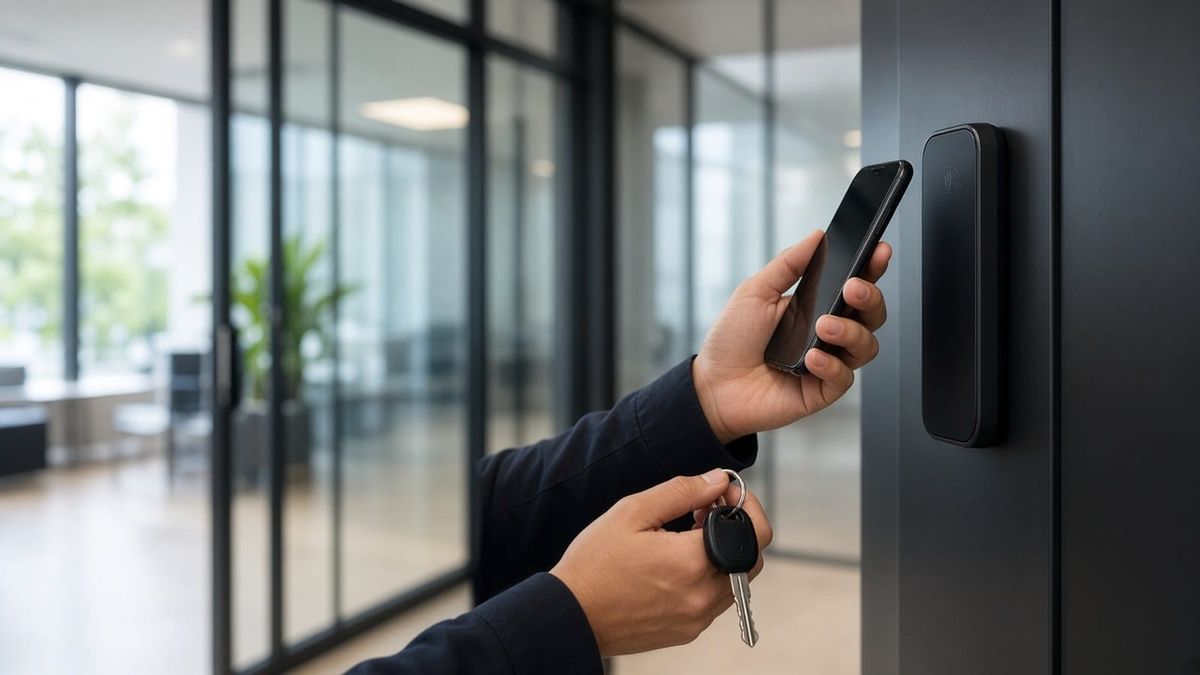
Once a business moves past metal keys, the next question is what people will use to open the door. Fobs and cards, keypad codes, and phone credentials all work, but they behave very differently when someone loses a fob, leaves the company, or shares a code.
For offices, shops, clinics, and warehouses around Marietta, Kennesaw, Woodstock, Canton, Roswell, and Alpharetta, picking the right credential (or mix) matters as much as picking the reader. Here's how the options compare.
Key Fobs and Cards
Fobs and cards are the familiar choice. Tap the reader, and the door unlocks if that credential is allowed in at that time.
Where they shine:
- Fast and simple. Nothing to remember and no app to open.
- One credential per person. Every tap is tied to a name, so the audit trail is clear.
- Easy to turn off. A lost fob can be deactivated from the management software without rekeying anything.
Things to weigh:
- They get lost, loaned, and forgotten at home. Each one has to be handed out, tracked, and collected when someone leaves.
- Replacements are an ongoing cost. Plan for spares and the time to issue them.
- Not all credentials are equal. Some older card formats are easier to copy than newer encrypted ones, so ask what technology a reader and card actually use.
Keypad PINs
Keypads let people type a code instead of carrying anything.
Where they shine:
- No hardware to hand out. A new code can be created in seconds.
- Handy for occasional users who don't need a permanent credential.
- A good backup at doors where a fob or phone might not be available.
Things to weigh:
- Shared codes are the big risk. When one code belongs to a whole team, it travels. It ends up on a sticky note or in a former employee's texts, and the log can't say who used it.
- Codes can be watched. A PIN can be learned over someone's shoulder.
- Individual PINs fix most of this. Giving each person their own code keeps the audit trail meaningful and lets you remove one person without changing everyone else's.
Phone (Mobile) Credentials
With mobile credentials, an employee's smartphone becomes the key. Depending on the system, they tap the phone, hold it near the reader, or use an app.
Where they shine:
- Issue and revoke remotely. Access can be sent to a new hire before day one and pulled the moment someone leaves, without anyone needing to return anything.
- People rarely leave their phone behind.
- Can add a layer of security. Many systems can require the phone to be unlocked, which adds a check that a simple fob doesn't have.
Things to weigh:
- Not everyone wants work access on a personal phone. Have a policy, and keep another option for staff who opt out.
- Dead batteries happen. Make sure there's a backup credential or a fallback plan.
- Setup takes a bit more effort, since each person installs an app or accepts an invite.
Why Many Businesses Mix Credentials
Most systems let different people use different credentials on the same doors. A common setup:
- Employees use phone credentials, with a fob available for anyone who prefers one
- Managers carry a fob as a backup to their phone
- Cleaning crews and contractors get individual PINs or temporary phone access that only work during their scheduled hours
- A secured room like a server closet or stockroom asks for two factors, such as a credential plus a PIN
Each group uses what fits, and every entry still lands in one log.
Turnover, Contractors, and Schedules
Turnover is where credential choice really shows. With metal keys or one shared code, every departure means rekeying or changing the code for everyone. With individual credentials, you remove one person and you're done, and phone credentials leave nothing to collect.
Schedules matter just as much. A cleaning crew that comes in after hours can have access that works only during that window and only at the doors they need. A contractor on a two-week project can get access that expires on its own. For locks, door hardware, and access rules, see our post on small business access control.
Audit Trails: Know Who, Not Just When
An audit trail is only useful if it names a person. Individual fobs, individual PINs, and phone credentials all record who opened which door and when. A shared keypad code only tells you that someone who knew it came in. That difference matters when sorting out a late-night entry.
Questions to Ask Your Installer
Before you sign off on a system, ask:
- Which credential types does the system support, and can we mix them on the same doors?
- What card or fob technology is used, and how hard is it to copy?
- How do we revoke a lost fob or a departing employee's access, and how fast does it take effect?
- Can we set schedules by person, group, and door?
- What happens at the door if the internet or power goes out?
- Can we manage everything from a phone app, and who on our team can make changes?
- What does adding doors, users, or credentials later look like?
Talk to AlphaLVC About Business Access Control
AlphaLVC is a local, licensed low-voltage contractor (Georgia license LVU406567) serving businesses across Cobb, Cherokee, and Fulton counties, including Marietta, Kennesaw, Acworth, Smyrna, Mableton, Woodstock, Canton, Roswell, Alpharetta, Johns Creek, and Sandy Springs. We install access control with fobs, cards, keypads, and phone credentials, plus schedules, audit logs, and app-based management, and we'll help you choose the right mix for your team.
Call or text 470-295-5382, email info@alphalvc.com, or visit alphalvc.com to set up a walkthrough.