Upgrading an Old Security Camera System: What Metro Atlanta Owners Should Know

A lot of homes and businesses around Metro Atlanta still have a camera system that went in years ago. The cameras still turn on, the recorder still blinks, and nobody thinks about it until something happens and the footage is too blurry to use.
If that sounds familiar, you don't always need to rip everything out. Here's how we look at older systems, what can often be reused, and when a full upgrade makes more sense.
Signs Your Camera System Is Due for an Upgrade
Most owners call us after one of these moments:
- Footage that shows something happened but not who did it. Faces and plates are smeared, especially at night.
- Night video that's mostly glare or darkness. Older infrared cameras often wash out close objects and lose detail at distance.
- A recorder that's slow, noisy, or full. Older recorders can struggle to search footage or keep enough days of recording.
- No reliable phone access. The old app no longer works, or remote viewing broke after an internet or router change.
- Cameras that are failing one by one. Dead cameras, flickering video, or water inside the housing after a few Georgia summers.
- No way to get a clip off the system when police or an insurance adjuster asks for it.
One of these alone might be a quick fix. Several at once usually means the system has reached the end of its useful life.
Analog, HD-Over-Coax, and IP: What You Probably Have
Older systems generally fall into one of three groups:
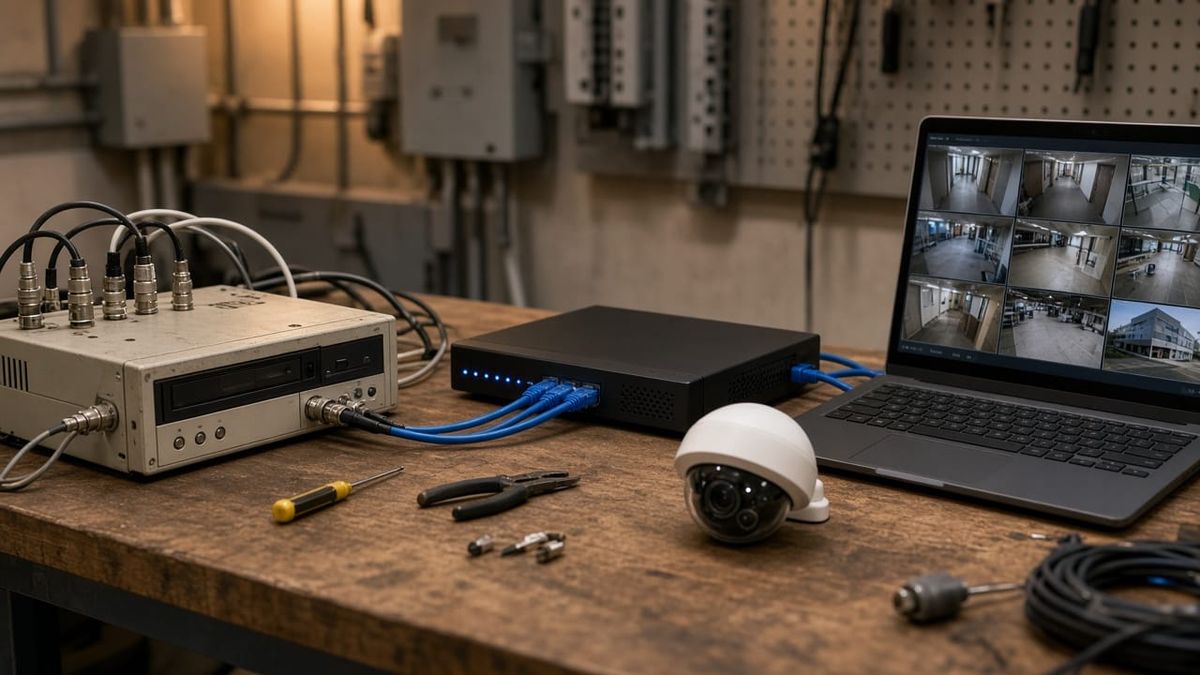
- Analog cameras on coax connected to a DVR. These are the oldest and typically the lowest image quality.
- HD-over-coax cameras that still use coax cable and a DVR, but carry a higher-resolution signal.
- IP cameras connected with network cable to an NVR (network video recorder), usually powered through that same cable using PoE (Power over Ethernet).
Knowing which one you have tells us what can stay and what needs to go.
Can You Reuse the Existing Wiring?
Sometimes, yes. If your coax runs are in good shape, an HD-over-coax upgrade can bring a real jump in image quality without pulling new cable through finished walls. That can be a good fit for a finished home or an occupied office where new wire runs would be disruptive.
There are trade-offs. Coax systems need separate power for each camera, and they don't open the door to every feature newer IP cameras offer, such as some of the smarter detection and audio options.
For most upgrades, we recommend moving to PoE IP cameras on Cat6 cable. One cable carries both video and power, the cameras and recorder talk over a proper network, and adding or swapping cameras later is simpler. In some cases, the old coax can even be used as a pull string to help route new cable through the same path.
We'll check the condition of existing cable, connectors, and power supplies during the walkthrough and tell you honestly whether it's worth keeping.
What a Modern System Adds
When people see a modern system side by side with what they had, a few differences stand out:
- Sharper detail. 5MP cameras with good lenses make faces and clothing easier to make out than older low-resolution cameras.
- Better night imaging. Newer cameras handle low light far better, and some can show color at night with a little ambient light.
- Smarter alerts. Intelligent detection can tell people and vehicles apart from swaying trees and passing shadows, so your phone isn't buzzing all night.
- Deterrence. Some cameras include flashing lights, a siren, or two-way talk so you can warn someone off before they reach the door.
- Easier searching and sharing. Pulling up a person or vehicle event and exporting a clip takes a few taps instead of scrolling through hours of video.
- NDAA-compliant options for businesses and organizations that need them.
Don't Overlook the Recorder and Network
Cameras get the attention, but the recorder and network decide how well the system works day to day. A properly sized NVR with enough storage keeps the number of days of footage you actually need. Placing it somewhere secure and out of sight means it can't just be carried off. A small battery backup helps keep it recording through brief power blips.
Remote viewing also depends on your internet and network setup. If your Wi-Fi or router is part of the problem, it's worth solving that at the same time instead of fighting it later.
Upgrade in Phases if That Fits Your Budget
An upgrade doesn't have to happen all at once. A common approach is to start with a new recorder and the two or three cameras that matter most, such as the front door, driveway, or main business entrance, then replace the rest over time. Planning the wiring and recorder for the full system up front keeps later phases simple.
Get a Camera Upgrade Walkthrough From AlphaLVC
AlphaLVC is a local, licensed low-voltage contractor (Georgia license LVU406567) serving homes and businesses across Metro Atlanta, including Acworth, Alpharetta, Atlanta, Brookhaven, Canton, Cartersville, Dunwoody, Johns Creek, Kennesaw, Mableton, Marietta, Roswell, Sandy Springs, Smyrna, and Woodstock. We design and install camera systems with clean cable runs, and we'll tell you plainly what parts of your current system are worth keeping.
You work with the same licensed installer from walkthrough to completion, with clear recommendations and no hard sell.
Call or text 470-295-5382 or email info@alphalvc.com to schedule a camera walkthrough. You can also visit alphalvc.com.