Small Business Network Cabling in Metro Atlanta: Building an Office Network That Doesn't Hold You Back

In a lot of small offices, the network grew one problem at a time. A switch got added under a desk, a long cable got run across the ceiling tiles, and somebody bought a Wi-Fi extender for the back room. It works, mostly, until the phones start dropping calls, the card reader goes offline, or nobody can tell which cable goes where.
Your network now carries almost everything a business depends on: computers, phones, point-of-sale, printers, Wi-Fi, security cameras, and access control. Here's how we approach office and small business networks around Metro Atlanta, and what to plan before your next move, buildout, or upgrade.
Signs Your Office Network Needs Attention
- Wi-Fi that's fine up front and weak in the back, the conference room, or the warehouse
- Phone calls that cut out or sound choppy during busy parts of the day
- Cameras or door readers that go offline without an obvious reason
- A network closet nobody wants to open, with unlabeled cables, power strips on the floor, and gear stacked on a shelf
- Small switches hidden under desks to add "just one more" port
- No idea what happens if the power blinks
Start With Structured Cabling
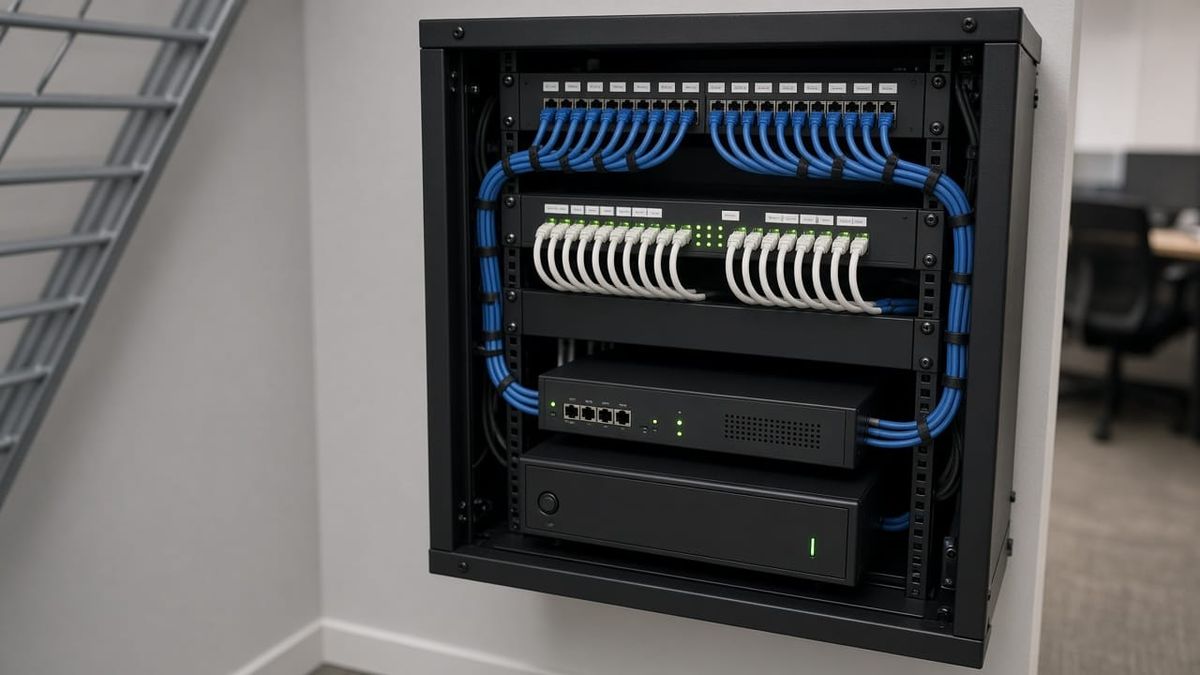
Structured cabling simply means the wiring is planned instead of improvised. Each work area, access point, camera, and reader gets its own cable home-run back to a central location, where it lands on a patch panel. From there, short patch cables connect to the network switch.
The benefits show up every day:
- Every port is labeled, so moving a desk or tracing a problem takes minutes, not an afternoon
- Wired connections where they matter most: desktops, phones, printers, point-of-sale, and access points
- Room to grow, because adding a spare drop during the install costs far less than coming back later
- Cleaner ceilings and walls, with cable properly supported instead of lying on tiles
We typically run Cat6 for new office drops, which handles today's speeds with room to spare. The cable choice matters less than doing the run correctly, testing it, and documenting it.
A Network Closet You Can Actually Work In
The heart of a business network is the rack or closet where everything comes together. A good one includes:
- A wall-mount or floor rack sized for what you have plus some growth
- Patch panels and cable management so cords are short, bundled, and labeled
- A firewall and router that protect the network and control what gets in
- A PoE switch to power phones, access points, cameras, and readers through the network cable
- A battery backup (UPS) so a short power blip doesn't drop your phones, cameras, and door locks
Ventilation matters too. Network gear crammed into a hot storage room, especially in a Georgia summer, tends to fail sooner.
PoE: Fewer Outlets, Fewer Headaches
Power over Ethernet sends power and data over the same cable. That means access points can go on the ceiling, cameras on the exterior wall, and card readers by the door, all without an electrician adding outlets at each spot. It also means those devices can ride through short outages when the PoE switch sits on a battery backup.
Business Wi-Fi That Covers the Whole Space
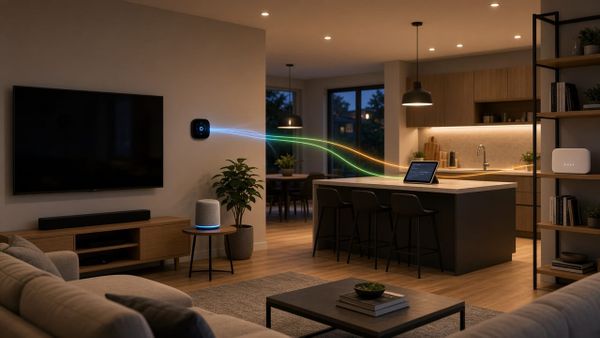
Consumer routers and plug-in extenders aren't built for a full office, a busy waiting room, or a warehouse floor. Business Wi-Fi uses ceiling-mounted access points, each wired back to the switch, so devices roam between them smoothly. Placement is planned around walls, shelving, and where people actually work, not just where an outlet happens to be.
Keep Devices Separated
Not everything on your network should be able to talk to everything else. We usually set up separate networks (often called VLANs) for:
- Staff computers and business systems
- Guest and customer Wi-Fi, kept away from your internal files
- Security devices like cameras and access control
- Phones and point-of-sale, so they get steady performance
This keeps visitors off your business data and limits the damage if one device has a problem.
Plan the Network Before the Move or Buildout
The easiest time to get cabling right is before the walls close or the furniture arrives. If you're leasing a new suite, expanding, or renovating in Marietta, Kennesaw, Smyrna, Alpharetta, or anywhere around Metro Atlanta, bring the network into the conversation early. It's also the right time to plan camera, access control, and audio cabling, since it can all come back to the same rack.
Get a Network Assessment From AlphaLVC
AlphaLVC is a local, licensed low-voltage contractor (Georgia license LVU406567) serving homes and businesses across Metro Atlanta, including Acworth, Alpharetta, Atlanta, Brookhaven, Canton, Cartersville, Dunwoody, Johns Creek, Kennesaw, Mableton, Marietta, Roswell, Sandy Springs, Smyrna, and Woodstock. We design and install structured cabling, network racks, PoE switching, and business Wi-Fi, and we tie in cameras and access control on the same clean backbone.
You work with the same licensed installer from walkthrough to completion, with a clear plan instead of a hard sell.
Call or text 470-295-5382 or email info@alphalvc.com to schedule a network assessment. You can also visit alphalvc.com.