Are Those Ethernet Jacks in Your Walls Actually Connected?
Unused Ethernet wall jacks? Learn what to check before rewiring, and how existing cabling can improve Wi-Fi in Cobb, Cherokee, and Fulton.

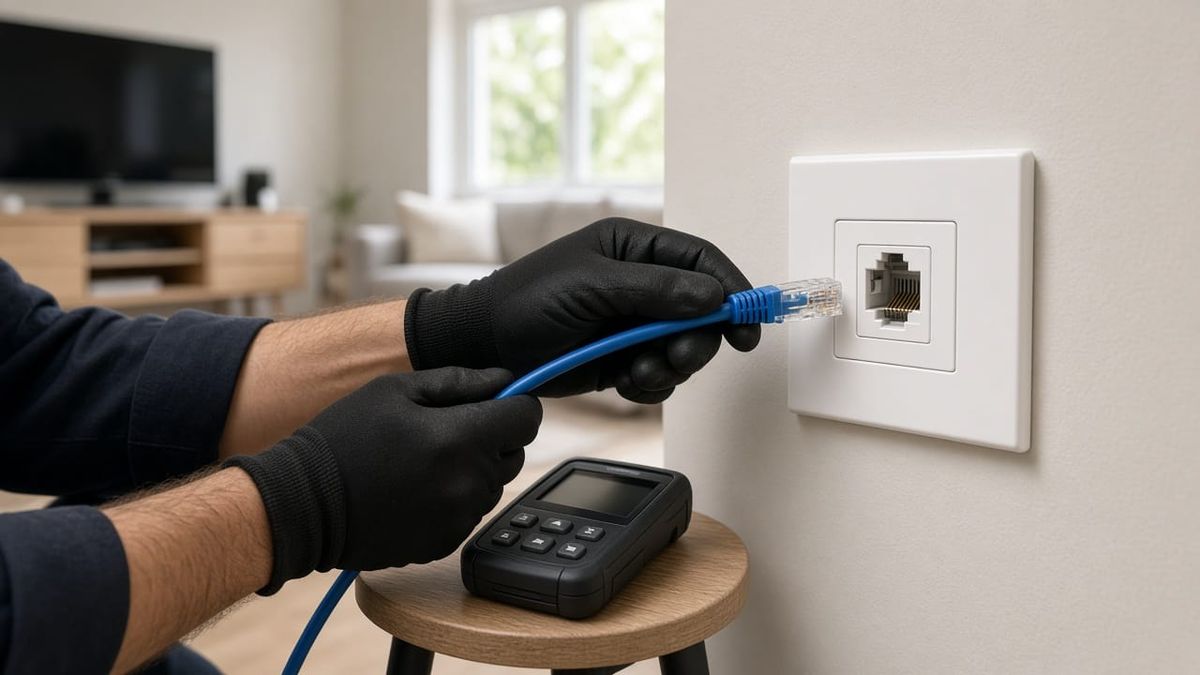
You plug a laptop into the wall jack behind the TV and nothing happens. Meanwhile, the Wi-Fi struggles in that room. Does the house need all-new wiring, or is useful cable already hiding in the walls?
For homes and small businesses in Cobb, Cherokee, and Fulton counties, an unused network jack can be an opportunity—but the faceplate alone doesn't tell you what is connected. Before buying another extender or paying to replace every cable, start by finding out what you already have.
A Wall Jack Is Only One End of the Connection
An Ethernet outlet needs a continuous, correctly terminated cable path back to network equipment. In many properties, room cables end in a structured wiring enclosure, utility closet, or patch panel. They may never have been connected to the router or a network switch.
A patch panel organizes cable ends; it doesn't provide a network connection by itself. The appropriate panel ports need patch cables to an active switch or router LAN port. If the far end of a room cable is loose or disconnected, plugging into that room's outlet won't get you online.
Is It Ethernet Cabling or Old Telephone Wiring?
A wide jack isn't proof of a working data connection. Some homes have cable that was originally terminated for telephone service, even when the cable jacket says Cat5e or Cat6.
A technician should check:
- Cable type and condition. Read the jacket markings where accessible and inspect for damage.
- The route. Ethernet normally needs a dedicated run from each outlet back to the network location. Telephone wiring may instead loop from one outlet to another.
- Both terminations. All four pairs must be correctly terminated for standard gigabit Ethernet.
- What the cable serves today. An apparent spare may still support a phone, alarm, or another system. Don't disconnect it without identifying its purpose.
Some existing telephone runs can be repurposed if their cable, topology, length, and condition are suitable. Others cannot. An assessment is a better starting point than assuming every jack can be converted—or that none can.
Test the Cable, Not Just the Internet Speed
A speed test measures the connection through several things at once: your device, local network, router, and internet service. It doesn't tell you whether an in-wall cable is correctly wired.
Start with known-good patch cords and a working device, then test the permanent run. A basic wire-map test can find opens, shorts, and incorrect connections, but a simple continuity pass doesn't certify the cable's performance. More capable testing may be needed to check whether a run meets its intended specification.
If a connection negotiates at 100 Mbps when both devices support gigabit, damaged pairs or a poor termination are possible causes—not automatic proof that the cable must be replaced. Check the patch cords, ports, and equipment capabilities too.
Existing Wiring Can Help Your Wi-Fi
Once a run is verified, it may do more than connect one television or computer. It can provide a wired connection back to the router for a compatible mesh node or access point.
That wired backhaul means the access point doesn't have to rely on a wireless link through the same walls that are already causing trouble. It can help coverage and consistency, though performance still depends on placement, equipment, interference, and the internet connection.
The jack's location matters. A connection behind a metal cabinet may suit a wired TV but be a poor place for Wi-Fi equipment. Sometimes the best plan is to reuse the existing run; sometimes one carefully placed new Cat6 run makes more sense than adding another wireless hop.
Label What Works—and Leave a Map
After testing and connecting the useful runs, label both ends. A simple record should identify the room, outlet, patch-panel port, and test result. Note any abandoned or unsuitable cables rather than leaving someone to guess later.
For a shop in Canton, a home in Marietta, or an office in Alpharetta, that small handover makes future troubleshooting easier. When a device stops connecting, you can follow its actual cable path instead of unplugging random cords in the closet.
Find Out What Your Existing Cabling Can Do
AlphaLVC installs structured Cat6 cabling, network racks, PoE switching, and Wi-Fi systems. We'll assess accessible existing wiring, explain what is worth reusing, and identify where a new run or better access-point location would help.
We're a local, licensed low-voltage contractor (Georgia license LVU406567) serving homes and businesses in Cobb, Cherokee, and Fulton counties, including Acworth, Alpharetta, Canton, Johns Creek, Kennesaw, Mableton, Marietta, Roswell, Sandy Springs, Smyrna, and Woodstock.
Call or text 470-295-5382 or email info@alphalvc.com. Before you write off those unused wall jacks, let's see where they go.